


先来查看一下系统中有几个python版本
ls /usr/bin/python*
查看python版本号
python --version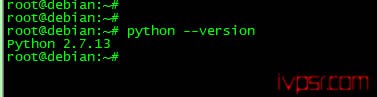
update-alternatives --list python

报错这个update-alternatives: error: no alternatives for python,代表 Python 的替代版本没有被 update-alternatives 命令识别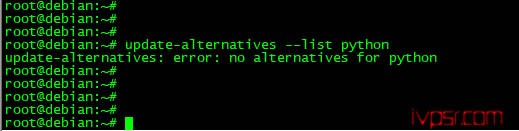
敲入python,按键盘tab键显示下列
也可以使用ls /usr/bin/python*
root@:~# python
python             python2-config     python3.6          python3-config
python2            python3            python3.6-config   python3m
python2.7          python3.5          python3.6m         python-config
python2.7-config   python3.5m         python3.6m-config
然后我们需要更新一下替代列表,将 python2.7 和 python3.6 放入其中alternatives
update-alternatives --install /usr/bin/python python /usr/bin/python2.7 1
update-alternatives: using /usr/bin/python3.4 to provide /usr/bin/python (python) in auto mode

update-alternatives --install /usr/bin/python python /usr/bin/python3.6 2
update-alternatives: using /usr/bin/python2.7 to provide /usr/bin/python (python) in auto mode
列出可用的python替代版本
update-alternatives --list python
/usr/bin/python2.7
/usr/bin/python3.6
使用这条命令就可以任何切换python版本了
update-alternatives --config python最后如果系统中替代版本只需要留一个,那就移除替代版本
使用命令移除
update-alternatives --remove python /usr/bin/python2.7

update-alternatives: removing manually selected alternative - switching python to auto mode
update-alternatives: using /usr/bin/python3.4 to provide /usr/bin/python (python) in auto mode